
Difference between xlr and usb mic: pros, cons, and best uses

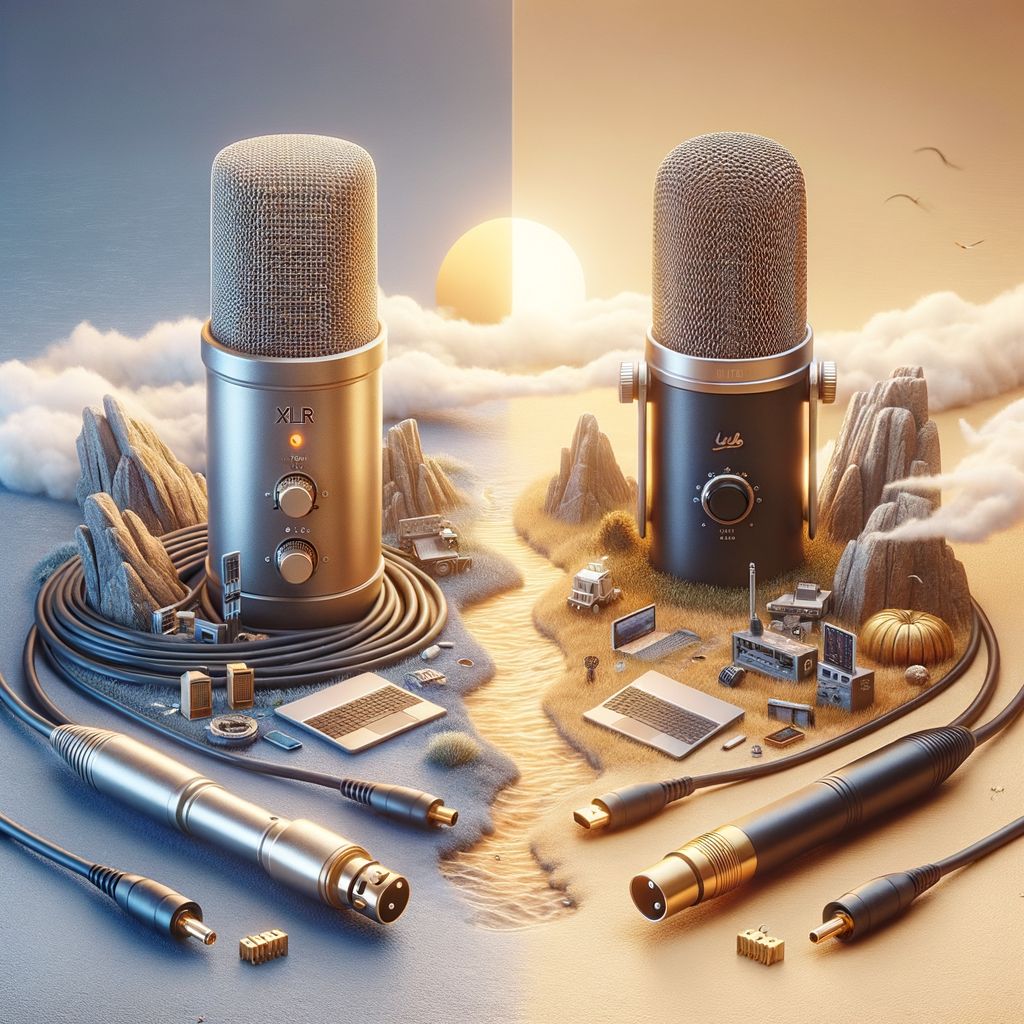
Are you confused about the difference between XLR and USB mics? Choosing the right microphone can significantly impact audio quality, but with so many options available, it’s easy to feel overwhelmed. Understanding the strengths and weaknesses of each type is essential for achieving the best results in your recordings.
This article will delve into the fundamental aspects of XLR and USB microphones, helping you make an informed decision. You will learn about their respective functionalities, advantages, and disadvantages, enabling you to choose the right mic for your specific needs.
We will cover what each microphone type is, how they operate, and the key differences that set them apart. By the end, you’ll have a clear understanding of which microphone suits your requirements best.
What is an XLR microphone and how does it work
An XLR microphone is a type of audio input device that uses a three-pin connector to transmit audio signals. This connection type is widely used in professional audio settings, including studios, live performances, and broadcasting. The design of XLR connectors ensures a secure and balanced connection, reducing the risk of interference and noise.
When an XLR microphone captures sound, it converts acoustic energy into electrical signals. These signals are then transmitted through the XLR cable to a mixer or audio interface. The balanced design of the cable helps to cancel out any electromagnetic interference, providing clearer audio quality compared to unbalanced connections. This is a key factor in understanding the difference between XLR and USB mic.
- Durability: XLR microphones are built to withstand the rigors of live performances.
- Versatility: They can be used with various audio equipment, allowing for greater flexibility.
- Sound Quality: XLR mics generally offer superior sound quality, especially in professional settings.
For example, the Shure SM58, a popular XLR microphone, is widely recognized for its durability and quality. Many musicians and vocalists prefer this model for live performances because it effectively reduces feedback and background noise.
In contrast, USB microphones are more suitable for home recording and casual use. They plug directly into computers, making them user-friendly for podcasters and streamers. However, for professional applications where audio fidelity and reliability are paramount, XLR microphones remain the preferred choice.
In summary, understanding how an XLR microphone works and its applications can help users make informed decisions. While USB mics offer convenience, the XLR format is essential for achieving the highest audio quality and performance in various settings.
What is a USB microphone and how does it work
A USB microphone is a type of microphone that connects directly to a computer or digital device via a USB port. Unlike traditional microphones, which often require external audio interfaces or mixers, USB mics are designed for easy plug-and-play functionality. This feature makes them especially popular among podcasters, streamers, and home recording enthusiasts.
The operation of a USB microphone involves converting sound waves into digital audio signals. Here are some key components and features of USB microphones:
- Built-in Analog-to-Digital Converter (ADC): USB microphones come with an integrated ADC that converts analog signals into digital data, allowing for direct recording to a computer.
- Direct Connection: The USB connection eliminates the need for additional equipment, making it easy to set up and use.
- Compatibility: Most USB microphones are compatible with various operating systems, including Windows, macOS, and Linux.
One notable example of a USB microphone is the Blue Yeti, which has gained significant popularity due to its high-quality audio capture and multiple recording patterns. It offers options such as cardioid, omnidirectional, and bidirectional settings, making it versatile for different recording scenarios.
USB microphones are particularly beneficial for:
- Home studios, where space and equipment might be limited.
- Podcasting, due to their ease of use and portability.
- Streaming and gaming, as they provide high-quality audio without complicated setups.
In summary, USB microphones provide a practical and efficient solution for audio recording, combining quality and convenience. Their direct connectivity and user-friendly features make them suitable for a wide range of applications, catering to both amateurs and professionals alike.
Key differences between XLR and USB microphones
The key differences between XLR and USB microphones primarily revolve around their connectivity, audio quality, and intended use cases. Understanding these distinctions can help users select the right microphone for their specific needs.
- Connection Type: XLR microphones utilize a three-pin connector that requires an audio interface or mixer for use, while USB microphones connect directly to computers or digital devices.
- Audio Quality: XLR microphones generally provide superior audio quality due to their ability to handle higher sound levels and lower noise interference. USB microphones, although improving, typically do not match the quality of XLR options.
- Portability: USB microphones are often more portable and user-friendly, making them ideal for podcasters and home users. XLR microphones, while less portable, are preferred in professional settings.
For instance, a popular XLR microphone, the Shure SM58, is known for its durability and excellent sound quality, making it a favorite for live performances. In contrast, the Blue Yeti, a widely used USB microphone, offers convenience and decent quality, perfect for beginner podcasters.
| Feature | XLR Microphones | USB Microphones |
|---|---|---|
| Connection | Requires audio interface | Directly connects via USB |
| Audio Quality | Higher quality, low noise | Good quality, but lower than XLR |
| Portability | Less portable | Highly portable |
| Ideal Use | Professional recordings | Home recording, streaming |
In summary, when deciding between XLR and USB microphones, consider factors such as your audio quality requirements, the equipment you already own, and your intended usage. This will ensure you choose the most suitable microphone for your needs.
Advantages of using an XLR microphone
One of the primary advantages of using an XLR microphone is its superior audio quality. XLR microphones are designed for professional use, often featuring high-quality components that deliver clear and accurate sound reproduction. This makes them ideal for studio recording and live performances where audio fidelity is crucial.
Additionally, XLR microphones offer greater flexibility in connectivity. They can be connected to a variety of audio interfaces, mixers, and preamps, allowing users to easily integrate them into different audio setups. This adaptability is particularly beneficial for musicians and sound engineers who work in diverse environments.
- Durability: XLR microphones are built to withstand the rigors of live performance, often featuring robust materials that enhance their lifespan.
- Long cable runs: The XLR connection allows for longer cable lengths without significant signal loss, making it suitable for larger venues.
- Phantom power: Many XLR microphones require phantom power, which can enhance their performance and provide better sound quality.
For instance, the Shure SM58, a popular XLR microphone, is renowned for its durability and sound quality, making it a favorite among vocalists. Its ability to reject background noise and feedback allows performers to deliver clear vocals even in noisy environments.
Furthermore, XLR microphones often come with advanced features such as high SPL handling and frequency response tailored for specific applications. This makes them suitable for a wide range of uses, including broadcasting, podcasting, and studio recording. Investing in an XLR microphone can be a game-changer for anyone serious about their audio production.
Advantages of using a USB microphone
USB microphones offer several notable advantages, particularly for users who prioritize convenience and ease of use. One of the most significant benefits is their plug-and-play functionality. Unlike XLR microphones that require additional equipment, such as audio interfaces or mixers, USB microphones can be connected directly to a computer. This makes them ideal for beginners and casual users who want to record audio quickly without complex setups.
Another advantage is their affordability. USB microphones typically come at a lower price point compared to their XLR counterparts. For instance, high-quality USB microphones like the Blue Yeti or Audio-Technica AT2020USB+ can be found for under $200, making them accessible for podcasters, streamers, and musicians starting out. In contrast, a professional XLR setup can easily exceed $500 when factoring in the microphone, audio interface, and other necessary equipment.
- Portability: USB microphones are often compact and lightweight, making them suitable for travel and on-the-go recording.
- Minimal setup time: Users can start recording within minutes of unboxing the microphone.
- Built-in features: Many USB microphones come with integrated features such as headphone jacks for real-time monitoring, gain controls, and mute buttons.
For example, the Rode NT-USB is not only user-friendly but also features a pop filter and a tripod stand, enhancing its usability for various recording situations. Furthermore, USB microphones are versatile, catering to a wide range of applications, from voiceovers to live streaming, making them an excellent choice for content creators.
In summary, USB microphones are a practical option for those looking for an effective, budget-friendly, and user-friendly audio solution. Their ease of use and portability make them especially appealing in today’s fast-paced digital landscape.
Common disadvantages of XLR and USB microphones
While both XLR and USB microphones have their unique advantages, they also come with certain disadvantages that users should consider before making a choice. Understanding these drawbacks can help ensure that you select the right microphone for your specific needs.
One of the primary disadvantages of XLR microphones is their complexity. They require a mixing console or an audio interface to connect to a computer, which can add to the overall cost and setup time. For example, a professional audio interface can range from $100 to several hundred dollars, making it a significant investment.
- Setup Time: Connecting an XLR microphone involves multiple steps, which can be cumbersome for casual users.
- Portability: The need for additional equipment makes XLR microphones less portable compared to USB options.
- Learning Curve: Users must familiarize themselves with audio settings and mixing techniques, which can be daunting for beginners.
On the other hand, USB microphones, while convenient, also have limitations. They often lack the professional audio quality found in XLR mics. This can be particularly noticeable in high-stakes environments like music production or broadcasting. For instance, many USB microphones may struggle to capture the full range of vocal nuances.
Additionally, USB microphones typically offer less flexibility in terms of audio processing and effects. Users may find themselves limited by the built-in settings of the microphone, making it challenging to achieve a desired sound. For example, if you are a podcaster wanting to add effects or adjust levels, you may need to invest in additional software or hardware, which can complicate your workflow.
In summary, while XLR microphones excel in audio quality and versatility, their complexity and cost can be drawbacks for some users. Conversely, USB microphones offer convenience but may fall short in areas of sound quality and flexibility.
Best scenarios to use an XLR microphone
XLR microphones are particularly advantageous in specific scenarios where professional audio quality and versatility are paramount. Below are some of the best uses for XLR microphones:
- Studio recording: XLR microphones excel in studio settings, where sound quality is critical. Artists, musicians, and podcasters often choose XLR mics for their ability to capture nuances in vocals and instruments.
- Live performances: Many professional musicians and performers prefer XLR microphones for live shows. The robust build and superior sound quality help deliver a clear and powerful audio experience to the audience.
- Broadcasting: Radio and television stations utilize XLR microphones for their reliability and sound fidelity. This ensures that broadcasts maintain a high standard of audio quality.
Another scenario that highlights the benefits of XLR microphones is in field recording. For documentary filmmakers or sound designers, XLR mics provide flexibility and performance in various environments. They can connect to a range of recording devices and mixers, making them ideal for capturing high-quality audio in dynamic situations.
A prime example of an XLR microphone in action is the Shure SM7B, widely used in both music production and podcasting. Its versatility allows it to handle a variety of sound sources, from singing to spoken word, making it a go-to choice for professionals.
In addition, XLR microphones are often paired with audio interfaces or mixers, enhancing their performance. This combination allows for greater control over sound levels and effects, which is crucial during both recording and live events.
Best scenarios to use a USB microphone
USB microphones are particularly well-suited for a variety of situations where convenience and simplicity are key. One of the primary scenarios for using a USB mic is in home studios. For amateur musicians, podcasters, or content creators, the ease of plug-and-play functionality allows for quick setup without needing complex audio interfaces.
- Home recording: Perfect for voiceovers, music production, and streaming.
- Podcasting: Ideal for podcasters who need a straightforward setup.
- Gaming: Great for gamers who want clear communication without fuss.
- Remote work: Effective for virtual meetings and online conferences.
Another scenario where USB microphones excel is in educational settings. Many teachers and educators are utilizing USB mics for online classes and webinars. The clarity offered by USB microphones enhances the learning experience, making it easier for students to understand the material presented.
For example, a study conducted in 2022 found that educators using USB microphones reported a 30% improvement in student engagement during online sessions. This highlights how effective audio quality can significantly impact communication in educational environments.
Additionally, USB mics are often preferred for live streaming. Platforms like Twitch and YouTube have seen a surge in users opting for USB microphones due to their affordability and ease of use. Many streamers value the ability to connect their mic directly to their computer without additional equipment.
- Affordability: Options available from $50 to $200, catering to different budgets.
- Portability: Many models are lightweight and easy to transport.
- Versatility: Compatible with various devices, including laptops, tablets, and smartphones.
How to choose the right microphone for your needs
Choosing the right microphone involves several considerations based on your specific needs. First, identify the primary purpose of the microphone. For instance, if you are recording vocals for a music album, an XLR microphone might be the ideal choice due to its superior sound quality and versatility.
- Purpose: Determine if you need the microphone for podcasting, streaming, music production, or video recording.
- Portability: Consider whether you need a microphone that is easy to transport. USB microphones are generally more portable.
- Budget: Set a budget. XLR microphones typically require additional equipment like an audio interface, which can increase costs.
Next, evaluate your technical expertise. If you are a beginner, a USB microphone might be more user-friendly. These microphones can be plugged directly into a computer without the need for additional equipment. For example, the Blue Yeti USB microphone is popular among podcasters for its ease of use and quality.
On the other hand, if you have experience and want to take your audio quality to the next level, consider an XLR setup. This often includes a quality preamp or audio interface, such as the Focusrite Scarlett 2i2, which can significantly enhance sound quality.
- Connectivity: Analyze your available equipment. If you already own an audio interface, an XLR microphone will fit seamlessly into your setup.
- Sound Quality: Research specific models and read reviews to assess audio fidelity. For instance, the Shure SM7B is renowned for its excellent sound quality.
Finally, consider the microphone's features. Some models offer adjustable gain, built-in pop filters, or directional patterns, which can enhance your recording experience. Always make sure to test microphones when possible to find the right fit for your needs.
Conclusion
Start your audio journey today!